




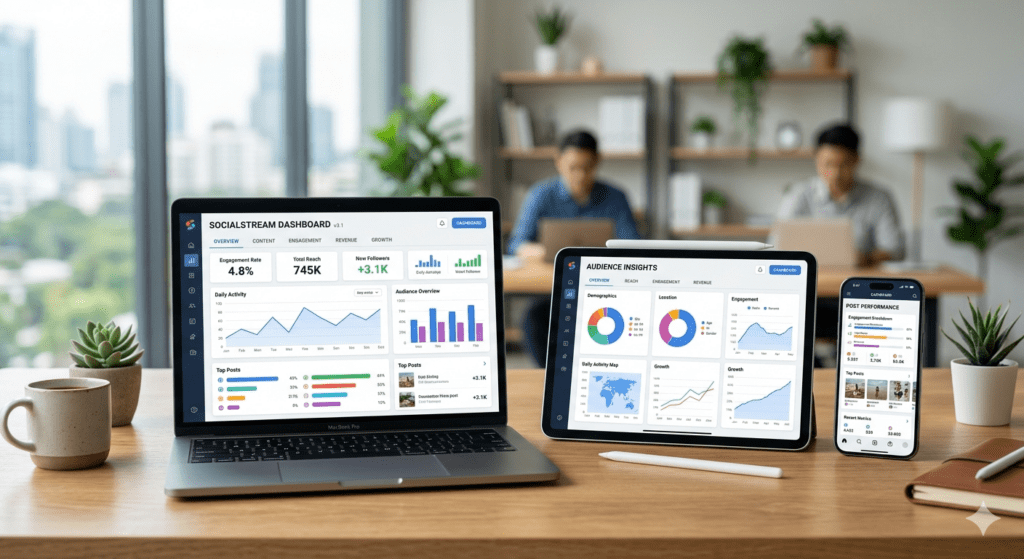
Social Media Management Tool
Autopack’s Social Media Management Tool is a versatile, all-in-one platform engineered to meet the digital marketing needs of any business. Whether you are managing campaigns for heavy manufacturing equipment, scaling an e-commerce brand, or running a service-based agency, this centralized hub allows you to seamlessly schedule content, engage with your audience, and analyze performance metrics across all major social networks.
Features of Social Media Management Tool
Platform Fatigue
Inconsistent Publishing
Siloed Data
Significant Cost Reduction
Improved Quality Control
Enhanced Security and Loss Prevention
Superior Data for Smarter Decisions
How it Works
The platform operates on a simplified, user-friendly loop. First, link your business’s existing social profiles to the dashboard. Next, use the composition tool to draft posts, attach media, and select the optimal publishing times for your target audience. If required, the system automatically notifies stakeholders to approve the drafted content. Once approved, the software automatically publishes the posts to the designated platforms. Finally, the tool aggregates engagement data in real-time, delivering actionable insights to your dashboard.
Social Media Management Tool vs Traditional Methods
| Process | Autopack Social Media Management Tool (After) | Traditional Manual Methods (Before) |
|---|---|---|
| Publishing | Automated cross-platform scheduling | Manual posting per network |
| Analytics | Unified, one-click reporting | Time-consuming manual data entry |
| Team Collaboration | Integrated approval workflows | Messy email chains and spreadsheets |
| Audience Engagement | Centralized universal inbox | Logging into individual apps |
Brands
Contact us to find out more
Frequent Asked Questions on RFID
-
Is this tool suitable for small businesses?Yes, the platform is highly scalable. It provides essential features that help small businesses save time, while also offering robust capabilities for larger enterprises.
-
Which social media platforms are supported?The tool integrates with all major networks, including LinkedIn, Facebook, X (formerly Twitter), Instagram, and YouTube.
-
Can I schedule posts months in advance?Absolutely. You can plan and schedule your content calendar as far into the future as your strategy requires.
-
Is my business data secure?Yes, we use industry-standard encryption protocols and secure API connections to ensure your credentials and marketing data are fully protected.
-
Can I export analytics reports to share with my team?Yes, you can generate and export customized reports in PDF or CSV formats to share with stakeholders or clients.
-
Can I customize user permissions?Yes, the platform allows you to assign specific roles (e.g., Admin, Editor, Reviewer) to control who can draft, approve, and publish content.
-
What kind of customer support is available?Users have access to a comprehensive knowledge base, email support, and live chat assistance to help troubleshoot any issues quickly.
