




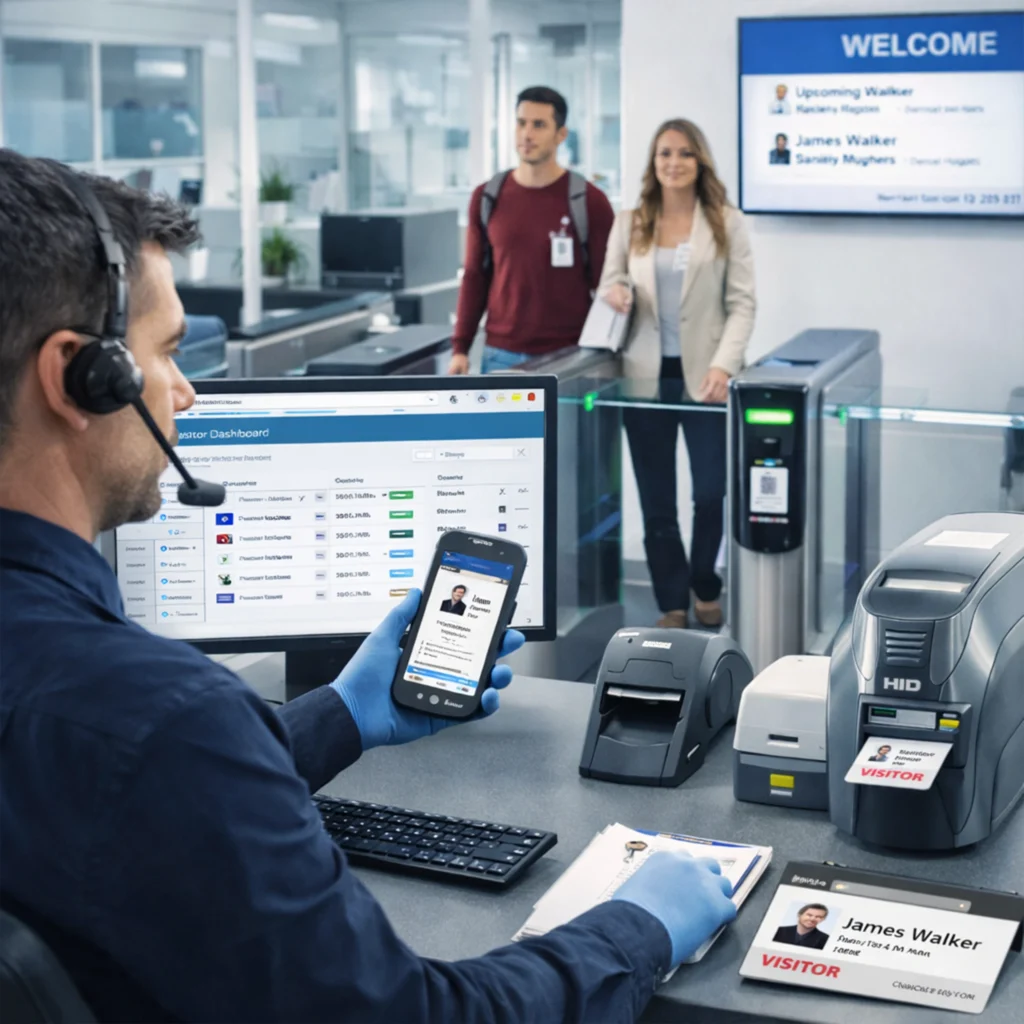
The Autopack Trak-iT Visitor Management System (VMS) is a comprehensive digital solution designed to secure your premises and streamline the flow of people into your facility. Moving beyond traditional paper logbooks, Trak-iT digitizes the entire registration process—from pre-arrival invitations to final check-out. Whether you manage a corporate office, a manufacturing plant, or a logistics hub, our system ensures that every guest, contractor, and delivery is accounted for, verified, and badged instantly. By integrating seamlessly with premium hardware from Zebra and HID, Trak-iT offers a robust, PDPA-compliant safeguard that enhances both security and your brand’s professional image.
Features of Visitor Management System
Adopting the Trak-iT VMS transforms your lobby from a bottleneck into a secure checkpoint. It automates low-value administrative tasks, allowing your staff to focus on hospitality and security monitoring. By digitizing entry, you gain audit-ready trails for compliance and real-time visibility of your facility’s occupancy. Furthermore, the system acts as a first line of defense, screening visitors against internal watchlists and ensuring that all contractors have acknowledged safety briefings before they even step past the lobby. It is the smartest way to modernize your facility’s operations while mitigating legal and security risks.
Custom Badge Printing
Instant Host Notifications
Real-Time Dashboard
Blacklist & Watchlist Alerts
Automated Check-out
How Does Visitor Management System Solution Works
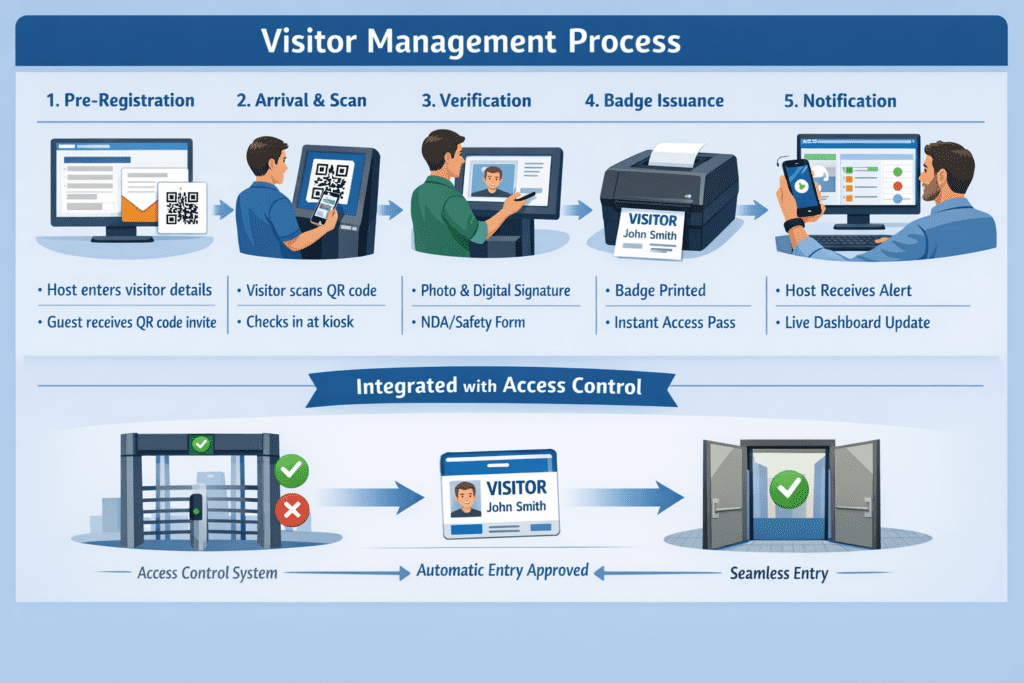
Implementation of Visitor Management System
-
1. Consultation & Workflow DesignWe map out your specific entry requirements (e.g., different flows for contractors vs. VIPs) and select the right hardware (kiosks, scanners, printers).
-
2. Hardware InstallationOur team installs the kiosks and integrates badge printers (like Zebra ZD-series) at your reception.
-
3. Software ConfigurationWe customize the interface with your branding, configure notification rules, and set up your watchlist databases.
-
4. TrainingWe provide hands-on training for your reception staff and security guards to ensure they are comfortable managing the dashboard.
-
5. Go-Live & SupportWe stand by during launch to ensure smooth operation and provide ongoing local support for any technical needs.
Barcode vs RFID
| Feature/Solution | Autopack RFID Solutions | Barcode Scanning |
|---|---|---|
| Data Capture | Automated, real-time, bulk reading | Manual, one-by-one, line-of-sight required |
| Line of Sight | Not required | Required |
| Read Speed | Very high (hundreds of items simultaneously) | Low (single item at a time) |
| Accuracy | High (up to 98-99%) | Moderate (prone to human error) |
| Inventory Management | Dynamic, precise, real-time updates | Static, periodic, labor-intensive |
| Labor Efficiency | Extremely high (automation) | Low (manual scanning and data entry) |
| Error Rate | Very low (automated) | Moderate to High (manual processes) |
| Durability | Tags highly durable, resistant to environment | Barcodes can be easily damaged, smudged |
| Traceability | Excellent, end-to-end, granular | Good, but often limited to scanning points |
| Data Storage | High (can store more info) | Low (limited to numeric/alphanumeric code) |
| Security Features | Enhanced with unique IDs, anti-tamper options | Limited to visual inspection |
| Scalability | High (easily scalable to large operations) | Moderate (scaling requires more manual effort) |
| Cost of Ownership | Moderate to High (initial investment, lower ongoing) | Low (initial investment, higher ongoing labor) |
Brands




Contact us to find out more
Use Cases
-
Manufacturing PlantsManage hundreds of daily contractors and vendors. Force mandatory safety video watching on the kiosk before printing a badge that indicates their authorized zone.
-
Corporate HeadquartersImpress clients with a sleek, branded iPad reception experience. specific VIP workflows allow executives to bypass standard queues.
-
Logistics & WarehousesTrack delivery drivers by capturing their license plate numbers and company details at the gate, reducing congestion at loading docks.
-
Educational InstitutionsSecure school perimeters by scanning visitor IDs against sex offender registries or internal watchlists before granting access to campus grounds.
-
Government & High-Security FacilitiesUtilize strict multi-factor authentication (ID scan + facial capture) and issue time-limited badges that change color or expire visually.
Frequent Asked Questions on Visitor Management System
-
Is Trak-iT VMS compliant with Singapore's PDPA laws?Yes. The system is designed to meet strict data privacy standards. It supports partial NRIC masking (hiding the last 4 digits), encrypts visitor data, and can be configured to automatically purge data after a set retention period. 2. Can the system work if our internet
-
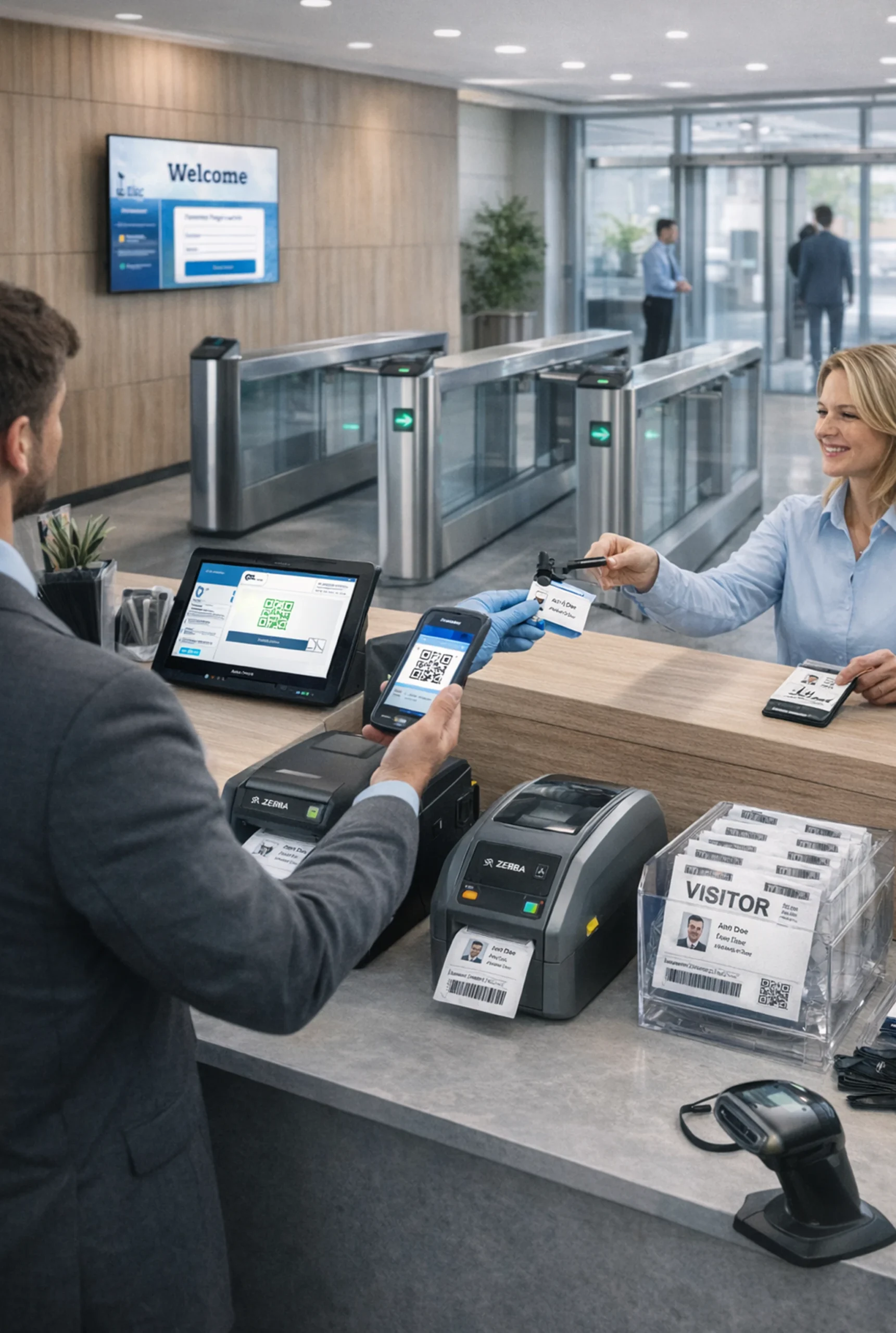
What hardware do we need for badge printing?We recommend and support enterprise-grade thermal printers from Zebra (e.g., ZD series) or Epson. These print distinct, ink-free badges in seconds. For plastic access cards, we integrate with HID Fargo printers.
-
Can I create different sign-in questions for different types of visitors?Absolutely. You can configure unique workflows. For example, "Contractors" might be asked to sign a liability waiver and enter a permit number, while "Interviewees" are only asked for their name and host.
-
Does the system integrate with door access controls (turnstiles)?Yes. We can generate barcodes or QR codes on the paper badge that can be scanned by existing turnstile readers to grant temporary physical access to specific floors or areas.
-
How does the "Emergency Evacuation" feature work?In an emergency, authorized fire wardens can access a "Mustering" list on any mobile device or tablet. This real-time list shows exactly who is checked in, allowing for a rapid and accurate headcount roll call.
-
Is there a limit to the number of visitors or hosts?Trak-iT is scalable. Whether you have 50 visitors a month or 5,000, the system can handle the volume. Licensing is typically based on the number of kiosks or locations, not the number of visitors.
-
Can visitors sign in using their own smartphones?Yes. To support contactless entry, you can display a static QR code at the front desk. Visitors scan it with their own phone to open a web check-in form, avoiding the need to touch the kiosk screen.
-
How quickly can we install this system?Depending on the complexity of your specific workflow customization.
